 Jetfold
Exporting
Jetfold can save any note in five formats, ready to share with people who don't use Jetfold or to take to another app.
| Format | What you get | Shortcut |
|---|---|---|
| HTML | A stand-alone web page, images embedded | |
| A paginated document | ⇧⌘E | |
| EPUB | An e-book for any book reader, images inside | |
| TextBundle | The Markdown with its images, in one package other Markdown apps open | |
| Plain Text | The words, without the Markdown symbols |
They're all in File → Export, and in the command palette as "Export Note as HTML…", "Export Note as EPUB…" and so on.
The note you're typing in is exported. If no note has the cursor, the selected note is exported. Choose where to save it, and you're done.
HTML, PDF and EPUB
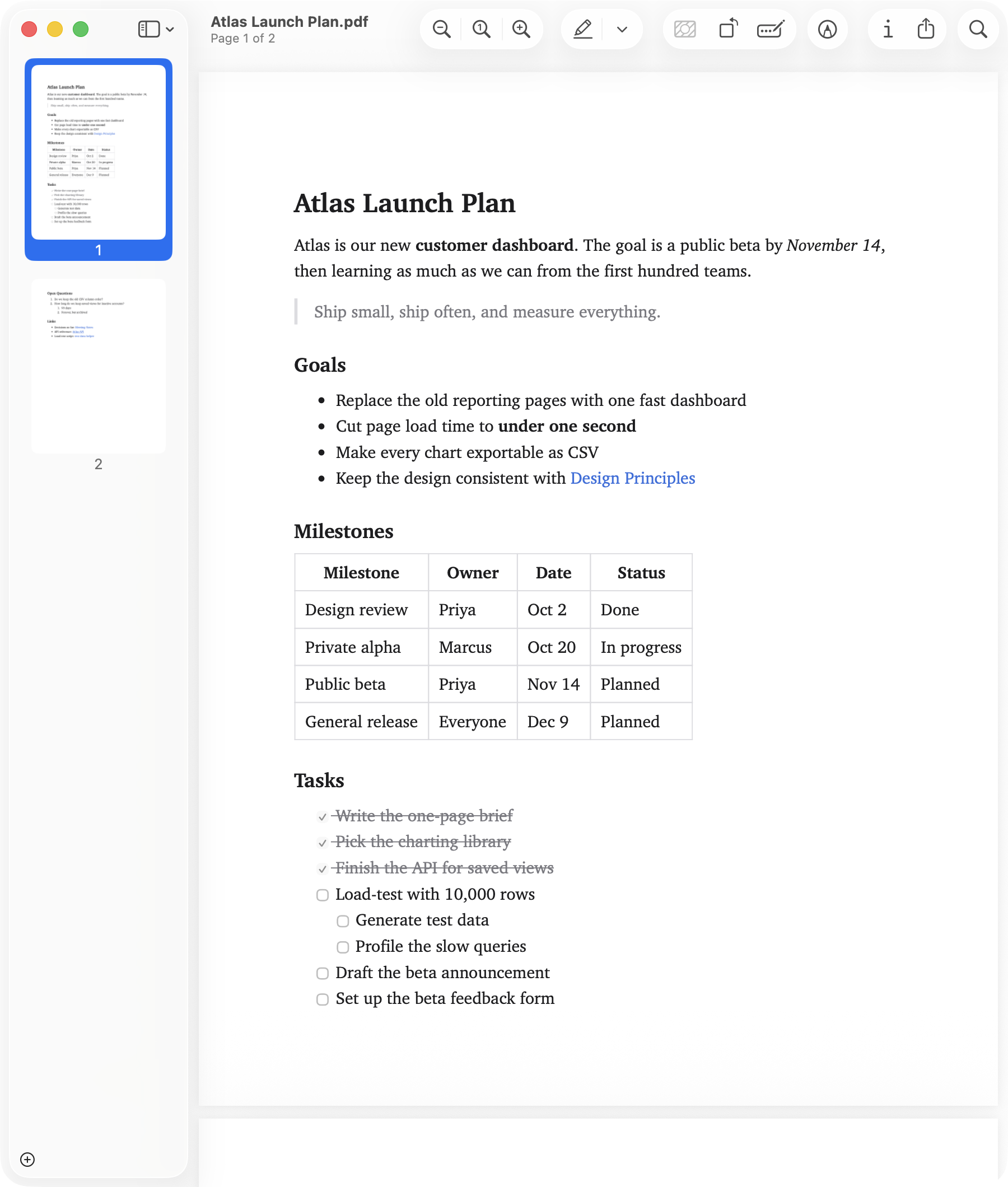
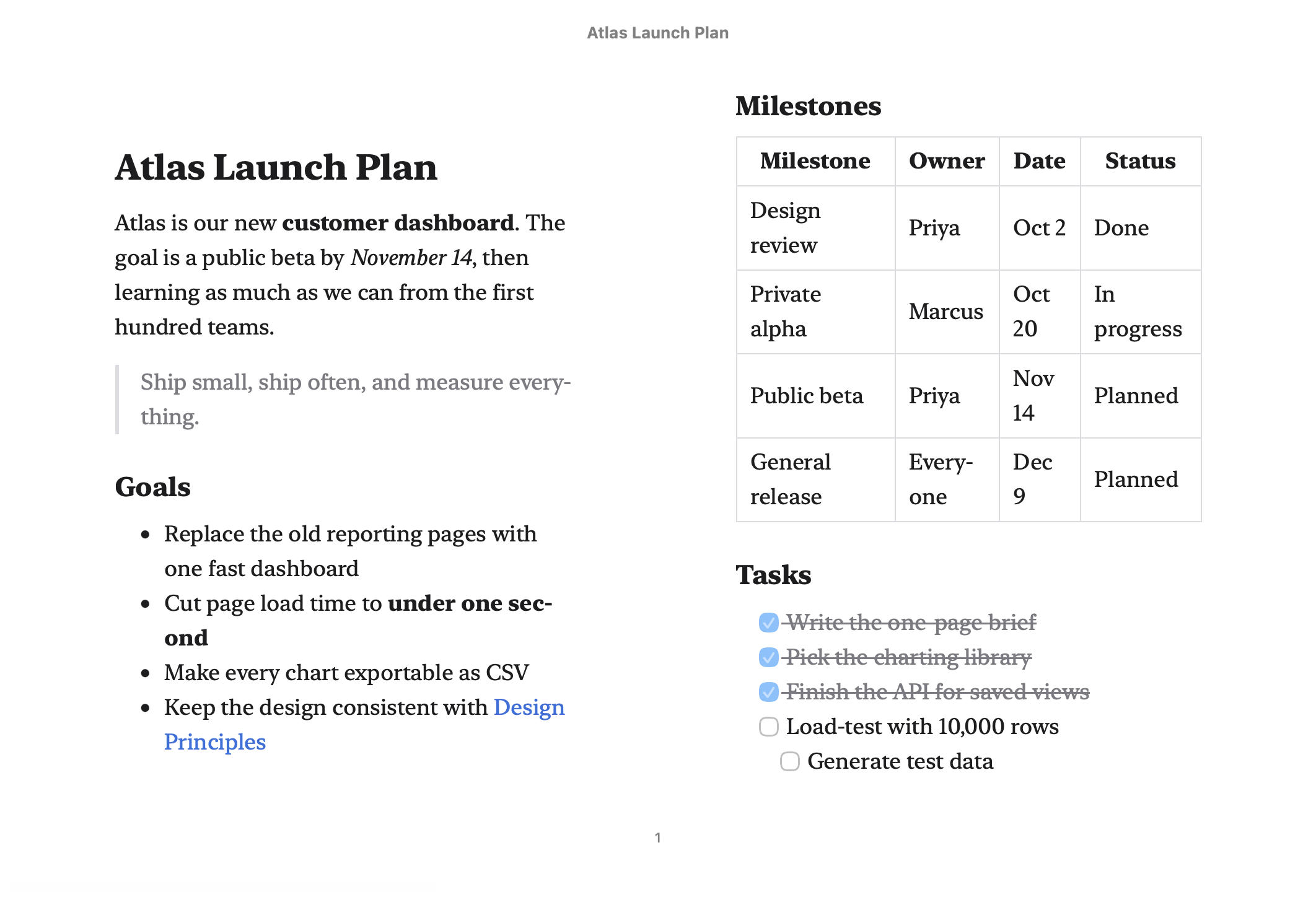
These look like the note does in Jetfold, in a clean light style:
- Headings, bold, italic, strikethrough, highlights, lists, task lists (with ticked and unticked boxes), quotes, rules and tables
- Code blocks with syntax colors
- Math, rendered as real typeset formulas
- Images from your notes folder, embedded right in the file, so the HTML is a single file that works anywhere (in an EPUB they're stored inside the book)
- Wikilinks, shown as plain text (the other notes aren't part of the export)
- Comments (
<!-- … -->) left out - Line breaks exactly as you typed them, like in the editor
Your editor fonts and sizes from Settings are used. Exports are always light, whatever your appearance and theme.
PDF details
PDFs use the paper size from your Mac's default printer settings (A4 or US Letter), with ¾-inch margins, and split onto pages automatically.
EPUB details
The book has one chapter, the note, titled with the note's name. Book readers let you change the font and size as usual; code, tables and math keep their own styling.
TextBundle
A TextBundle is a folder that macOS shows as a single file (Note.textbundle), holding:
text.md: the note's Markdown, exactly as you wrote it, under a heading with the note's title (unless it already starts with one), and with its images pointing into the bundleassets/: a copy of every image from your notes folder that the note showsinfo.json: a short description other apps read
Many Markdown apps open TextBundles directly, images and all, which makes it the easiest way to move a note with pictures to another app or another person. Web images stay links, and an image that's missing keeps its original link.
Plain Text
A .txt file with the note as it reads, for pasting into places that don't understand Markdown:
The note's title comes first, unless the note already starts with it.
Headings lose their
#s, and bold, italic, highlights and code lose their markers.Bullets become
•, tasks☐and☑, and quotes are indented. Numbered lists keep their numbers.Web links keep their address in brackets,
the site <https://example.com>; wikilinks show their text.An image leaves a placeholder where it was:
[Image: garden plan], from its description, or the file name if it has none.Code blocks keep their code, without the fences. Comments are left out.